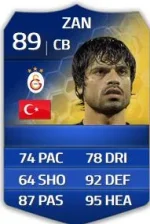
You'll need...
paint.net (it's to save png's in a dds format for Fifa, normal paint will not work.)
File Master 14
Half a brain cell
You can find the links for these via google.
The image size for the png has to be 128x128 pixels, You can create this in photoshop yourself if you like.
1. Open the png file in paint.net
2. Save in .dds format
3.Rename the file to the letter "p" followed by the id. For Drogba it would be p31432.
You can retrieve each player id by searching them on futhead, right clicking the mini face and opening image in a new tab and the ID should then appear in the adress bar. You have to open the mini image, the id you see on the main player page is wrong. You'll only see the correct id by opening the players image in a new tab.
For example
3. Copy the .dds file into Program Files\Origin Games\FIFA 14\Game\data\ui\imgAssets\heads
4. Open File Master 14
5.Click on tools and then regenerate. At the bottom it will say Regenerating bh... and will stop responding for a short while. When it's complete it will say ready.

Now you will have your new mini face in game.
Please don't spam me with endless requests.
Here's a complete pack for LFC which I did like a week or 2 ago...